
Group Lessons
Small classes allow us to personalize water safety and address individual needs, while the social interaction and opportunity to observe peers create a dynamic and effective learning environment.
How do I register for group lessons?
We’re so glad you’re ready to sign your child up for group lessons! Please follow the steps below on how to register .
IMPORTANT NOTE: You must be signed in to your Rec. Desk account in order to reserve the lesson!
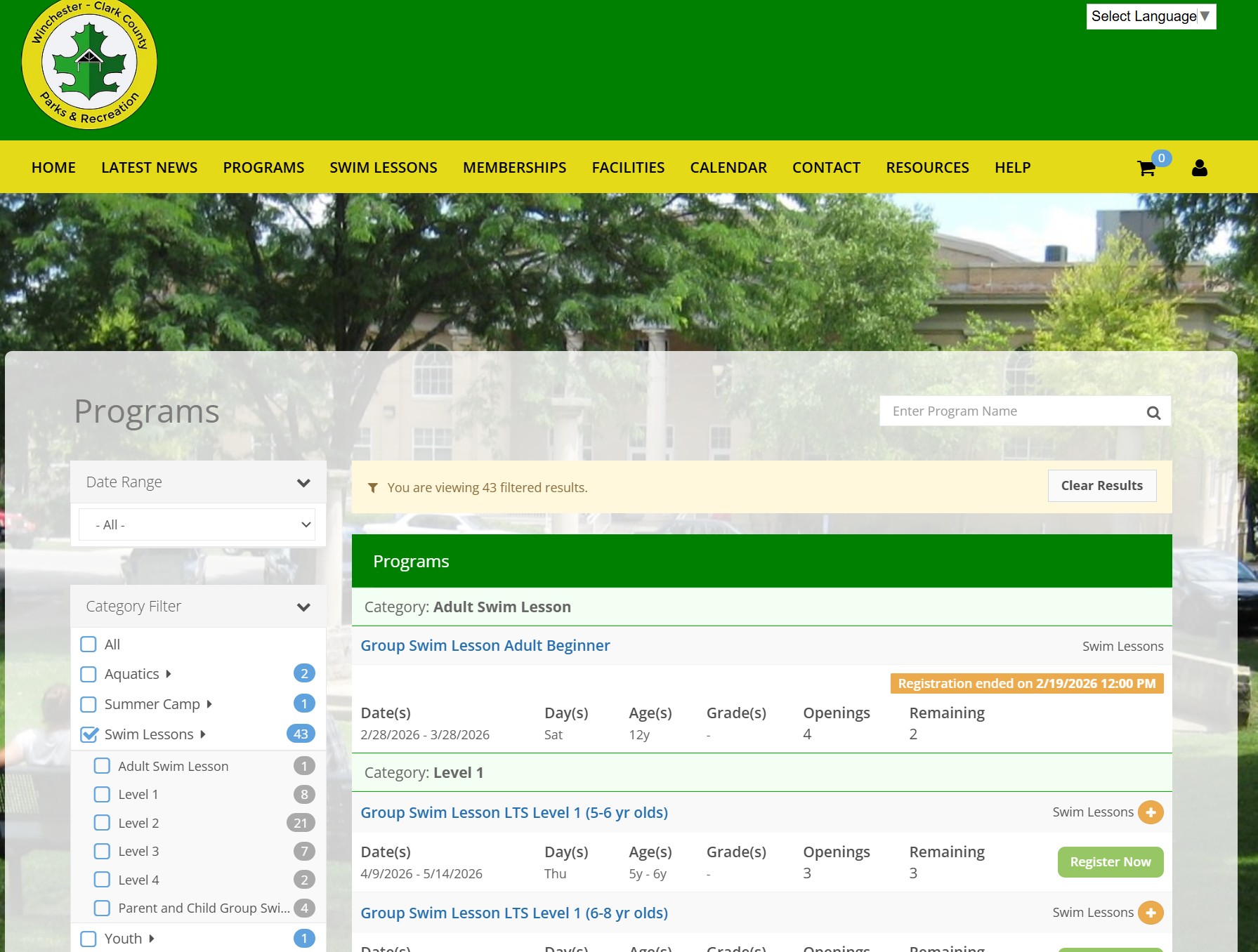
1. Start by visiting our website at
https://wccpr.recdesk.com/
2. Click on the ‘Swim Lessons’ tab at the top of the page.
3. In the drop down menu, click ‘Group Lessons’.
4. You will choose the class based upon the correct level, age, day, and time – Then click “Register Now”
NOTE: Only the Green “Register Now” is available to schedule lessons.
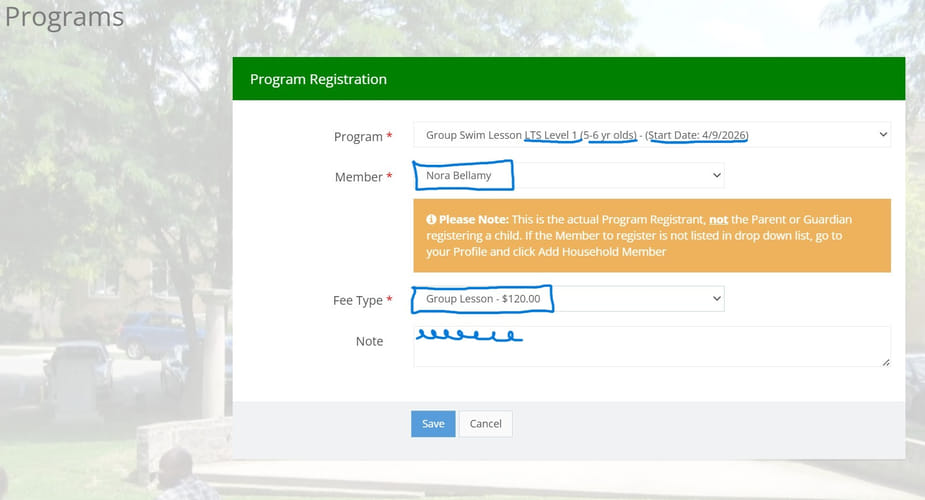
5. When registering for the Group Lesson, choose the STUDENTS name under “Member” click –“Fee Type” and click – “Save”
6. You will be on your “Shopping Cart”. If you are only registering one person – click “Go To Checkout”. After you have added your person(s) “Click Go To Checkout”
Note: However, you can add another registrant if you have more than one person to register.


7. At the Waiver page – Read, then Click on “I Accept Waiver”
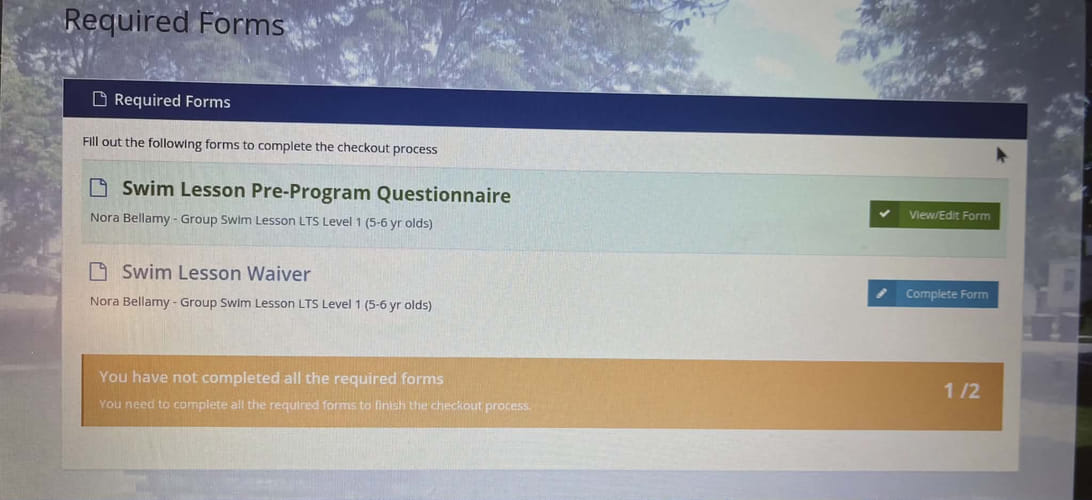
8. At the Required Forms page, you MUST complete the Swim Lesson Pre-Program Questionnaire AND the Swim Lesson Waiver.
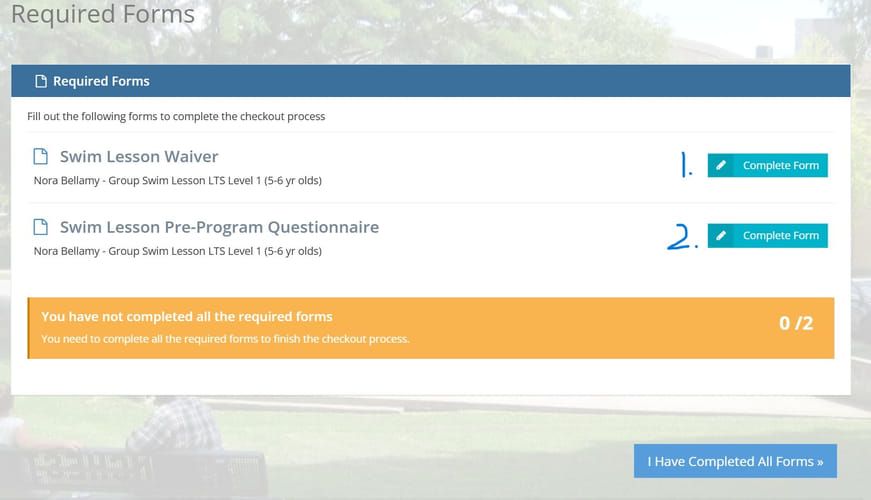
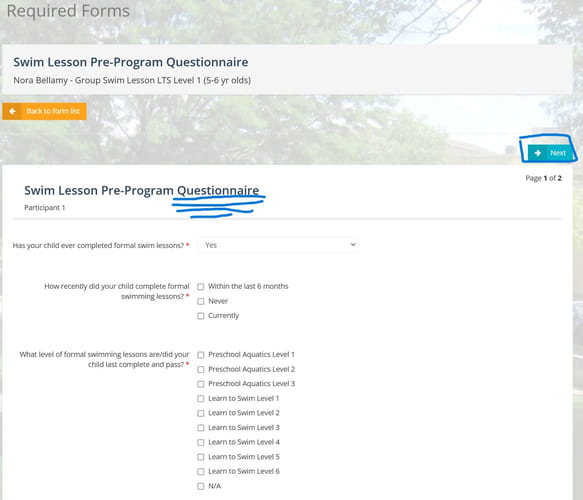
9. At the Pre-Program Questionnaire – complete page one and click “Next” to go to page two. Then click “Submit Form”
10. At the Required Forms page. Click on “Complete Form” for the Swim Lesson Waiver.
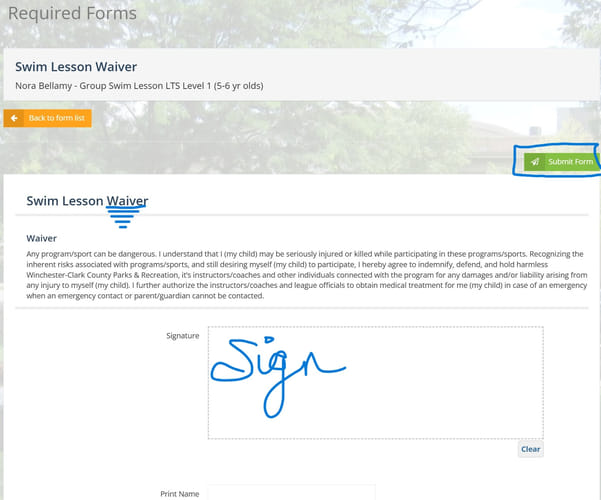
11. Read and Sign Waiver – Then click “Submit Form”
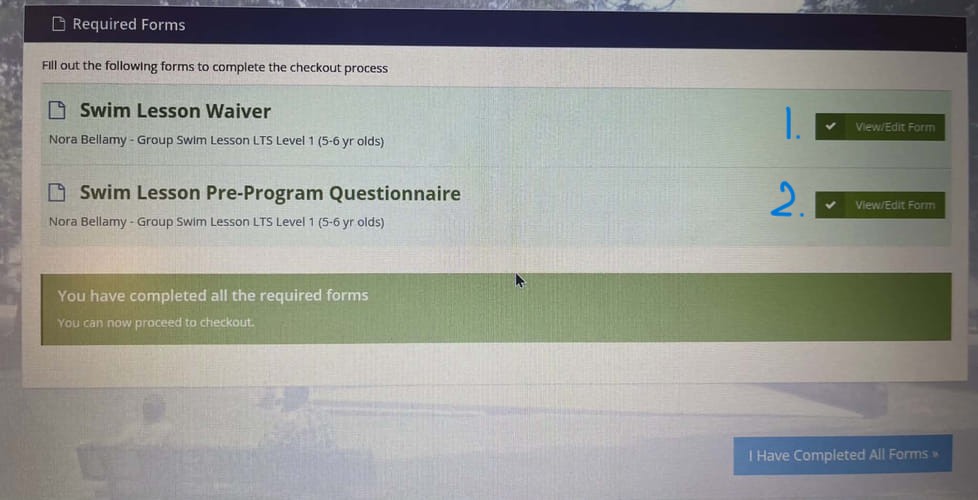
12. After both forms are Complete – Click on “I Completed All Forms”
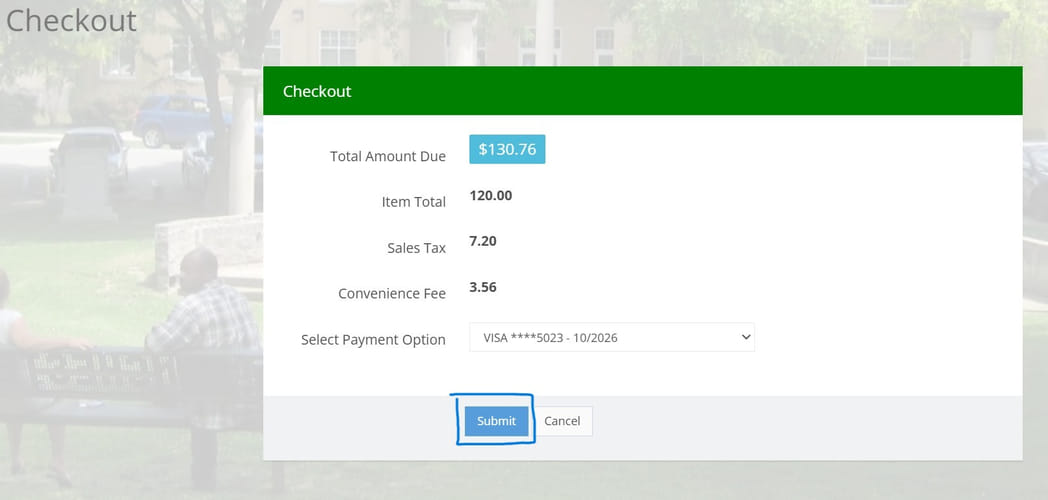
13. At the Checkout page – fill in your payment information and click “Submit”
IMPORTANT: Registration not complete until payment is processed. If you encounter any issues during registration, or have any other questions, please contact Winchester Swim Academy – (859) 428-7656